 Gavin Wayne
Once you run more than a couple of websites, every day turns into the same routine. Open GA4 and Search Console in the morning. Crawl for broken links. Pick topics, write posts, make images, publish, then watch whether they get indexed. No single site is hard. Together they’re a full-time job.
SiteOps is my answer to that. In one sentence:
A team of robots runs the websites day to day. I do two things: look at results, and approve changes.
The screenshots come from a local test setup and show the console’s Chinese UI. Site names are swapped for placeholders, and numbers and links are blurred.
The console opens on “waiting for you”
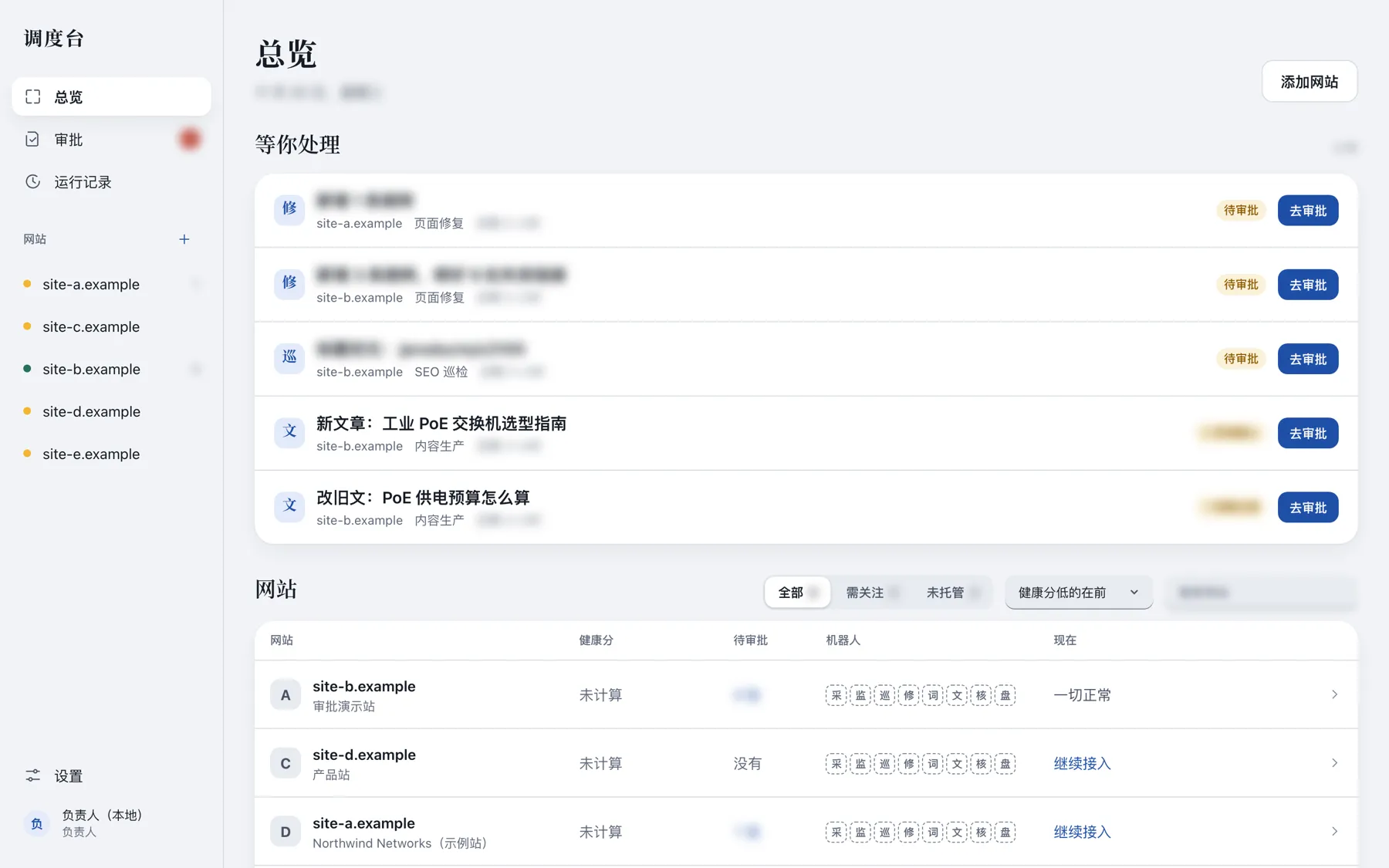
The overview isn’t a wall of charts. The first block is “waiting for you”: changes the robots have proposed that need my call. The site list comes after, sorted by health score from lowest up, so the sites with problems rise to the top.
When I open it I want to answer three questions: which site has a problem, which changes need approving, and is anything growing. The page is laid out around those three, not around database tables.
Robots split the work, with four permission levels
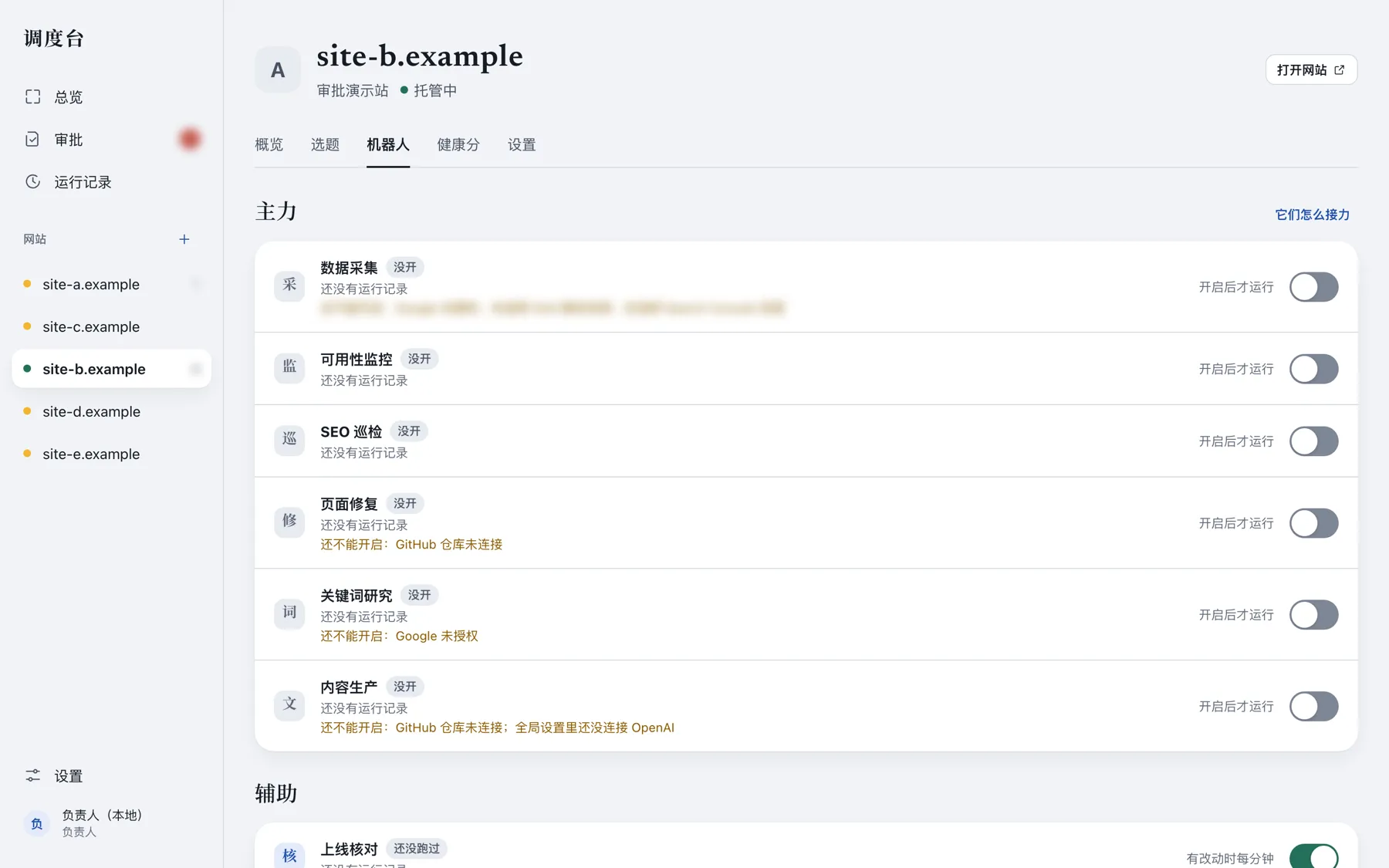
Each robot can be switched on or off per site:
- Data collection and uptime monitoring: pull data from GA4, Search Console and PageSpeed, and ping the home page every 5 minutes. No model involved.
- SEO audit: crawl the whole site for broken links, missing titles and duplicate descriptions, and file issues.
- Page fixes: work through the issues by editing content or adding redirects, and produce a change request.
- Keyword research: find queries in Search Console where the site ranks 11 to 30, and suggest topics with a reason for each.
- Content: write posts from those topics, add images, check product specs, and open a PR with a preview.
There are four permission levels. L0 is read-only and runs on its own. L1 can only write to a PR branch, never to the live site. L2 needs approval to go live. L3 sends things to the outside world, like outreach emails, and needs approval every single time, with no auto-approve option.
A robot that’s missing something can’t be switched on, and the reason sits right next to it: repository not connected, Google not authorized. Better than turning it on and watching it fail.
Three hard rules
The scariest part of letting robots change a website is that they break something and nobody notices. So three rules were set on day one:
- Robots never get write access. All they can produce is a change request: a diff, an explanation and a checksum. The merge is done by the executor, a plain program that calls no model at all. After approval, it checks that the checksum matches the PR’s latest commit before it does anything.
- Every write goes through a PR. Approving something just means merging a PR, so anything that goes wrong is one revert away.
- Every run leaves a trail. Which tools, which model, what came out. All of it is recorded.
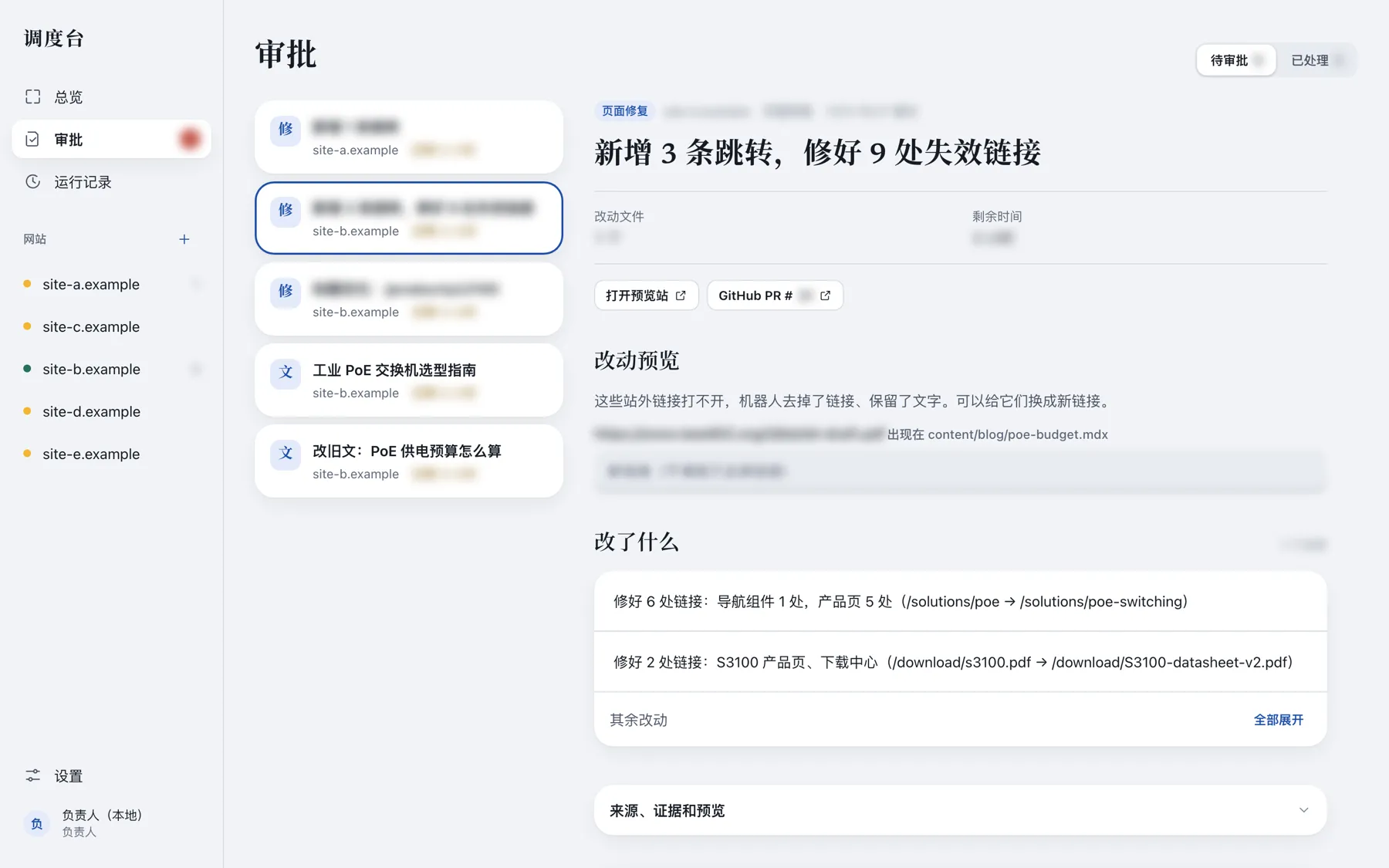
On the approval page I want plain words: how many links were fixed, from where to where, in which file. If I want more, I open the PR for the diff, or the preview site to see the real result. Every PR gets its own preview build, which is deleted when the PR closes.
The executor also has an allowlist: changes may only touch the content folder and the redirects file. A PR that touches templates, components or config can’t be merged, even if someone approves it.
A finished draft isn’t a published post

The biggest risk with generated content is confident nonsense. So before a post reaches me, a program runs pre-publish checks:
- numbers in the text that can’t be traced to the product database get flagged;
- missing target keywords get flagged;
- internal links that point somewhere they shouldn’t get flagged.
These don’t block the post. They’re marked “please confirm” and left to a person. Below that is how the post will look in search results, and if I don’t like the title or description, I can swap it.
If I send a change back, my comments go to the robot, it revises, and a new approval replaces the old one. Anything left untouched for 48 hours expires and its PR is closed. Anything approved during the quiet hours at night is queued and merged in the morning.
Set the rules first, then automate
Whether robots can change websites reliably depends on whether the websites look alike. So SiteOps doesn’t try to support every possible site. It starts with a site spec, and new sites are built to it:
- the repository root has a
siteops.config.jsonwith the domain, languages, content folders, build command and how it deploys; - posts and pages are Markdown or MDX files in the repository;
- the build outputs
siteops-manifest.json, mapping every URL to its source file.
That last one is the key. When the audit finds a problem on a URL, the platform uses the manifest to find the file to change. No guessing.
This website is wired up the same way. There’s a siteops.config.json in its repository.
Sites with content hard-coded into components can still join. Data, monitoring and audits work as usual. The robots just report the problems and mark them “needs a human”.
Things I deliberately left out
- No cost tracking. No spend reports, no budget caps. Each site just picks which model to use. The complexity saved is worth more than the money.
- No scraping other people’s dashboards. Keyword data comes only from Search Console. The platform doesn’t store accounts for third-party SEO tools or log in to scrape them.
- No speaking for me. Outreach emails are approved one by one, and a new mailbox sends at most 10 a day in its first week.
Where it stands
The platform is split into four containers on one VPS: the console, the worker, the executor and the preview service. The whole loop runs locally with one command: the audit finds a problem, a change request is made, a PR opens, a preview builds, I approve, it merges, deploys, gets re-checked, then gets reverted and redeployed.
Next is running it on real sites, continuously, to see whether it holds up. I’ll write again when there’s news.